Apply faster.
Interview with confidence.
GhostAlly keeps every application in one sheet, tailors your resume to each job without inventing a thing, fills the forms for you, and sits beside you in the interview — in a window the other side never sees.
- 3 free tailorings
- 1 free Call Desk call
- No card needed


One package
Everything between the job post and the offer
Three parts that share one account. Whatever happens on a job page, in the sheet or on a call ends up in the same place.
The website
ghostally.space
Bid sheet, resume Tailor, AI job search, hiring processes and your resume library, in dark or light.
Take a lookApply Helper
Chrome extension
A side panel on the job page: reads the posting, tailors a copy, fills the form, writes the cover letter.
Take a lookCall Desk
Windows & macOS
A private window for the interview: live captions, answers from your resume, and it saves the call for you.
Take a look- bids in one sheet, still instant
- 2,400+bids in one sheet, still instant
- invented facts in a tailored resume
- 0invented facts in a tailored resume
- for 30 days of unlimited Pro
- $10for 30 days of unlimited Pro
- window the interviewer never sees
- 1window the interviewer never sees
01 · The website
Your job search, organised like a pro desk
The sheet, the Tailor, the job search and every hiring process, recorded here on demo data.
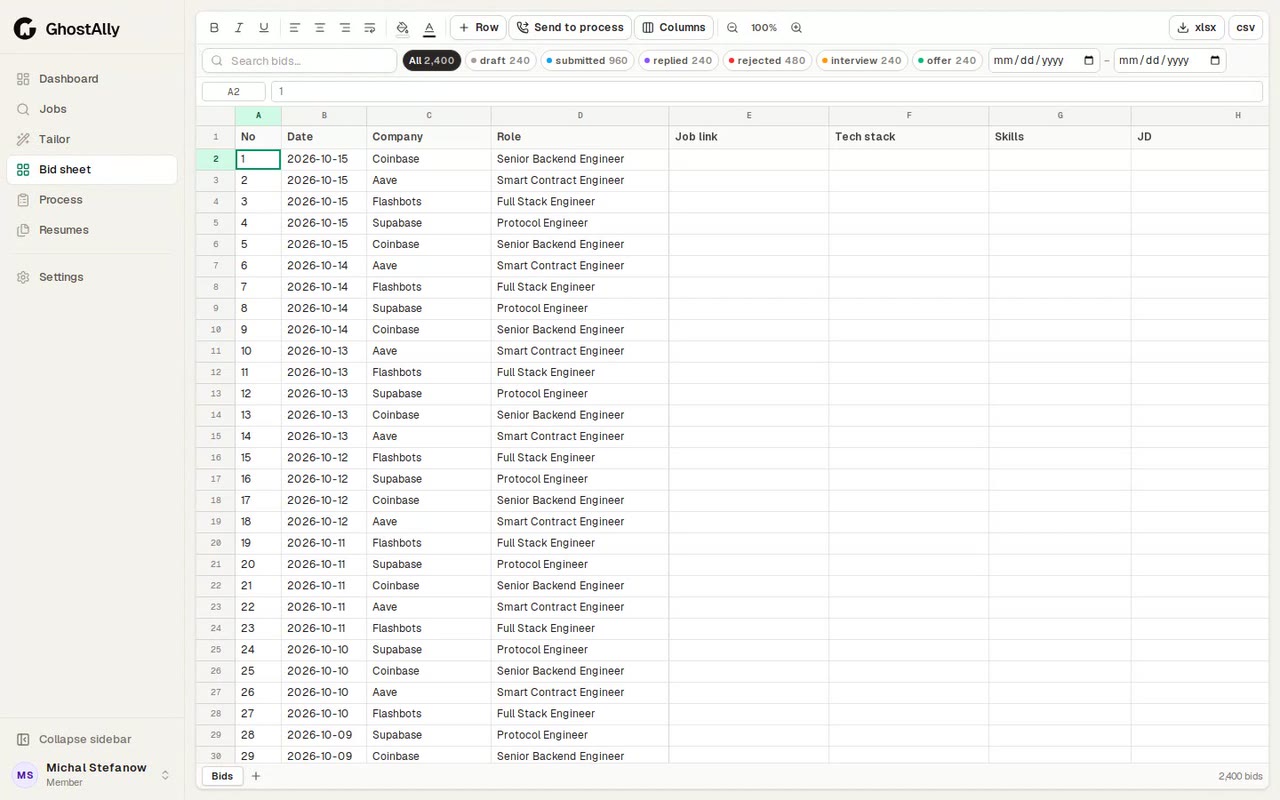
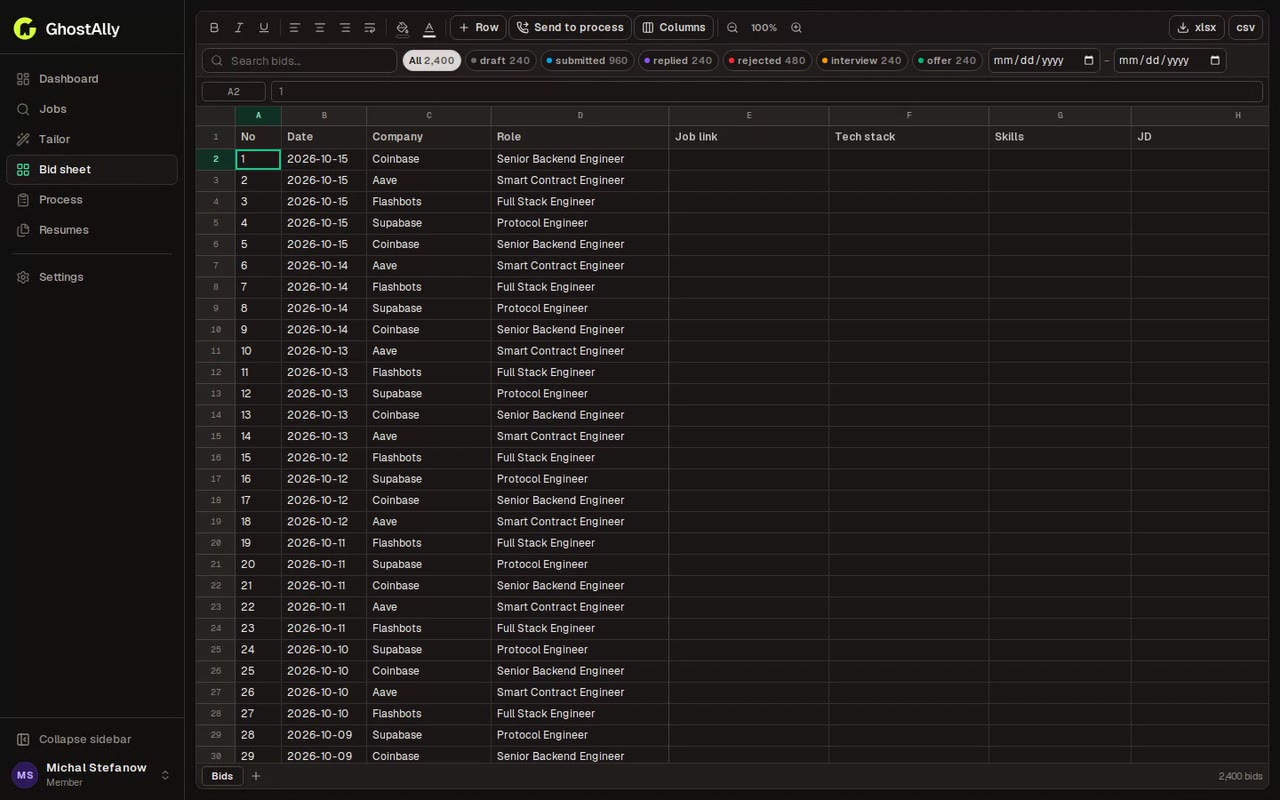
Every application in one sheet that stays fast
An Excel-like tracker for every bid: date, company, role, link, stack, status. Search, filter by status and date, and scroll through thousands of rows without a stutter.
- Status chips: submitted, replied, interview, offer
- xlsx / csv export, formatting and custom columns
- Send a bid to a hiring process in one click
- Team lead and admin dashboardsLeads see their members' sheets, processes and reply rates.
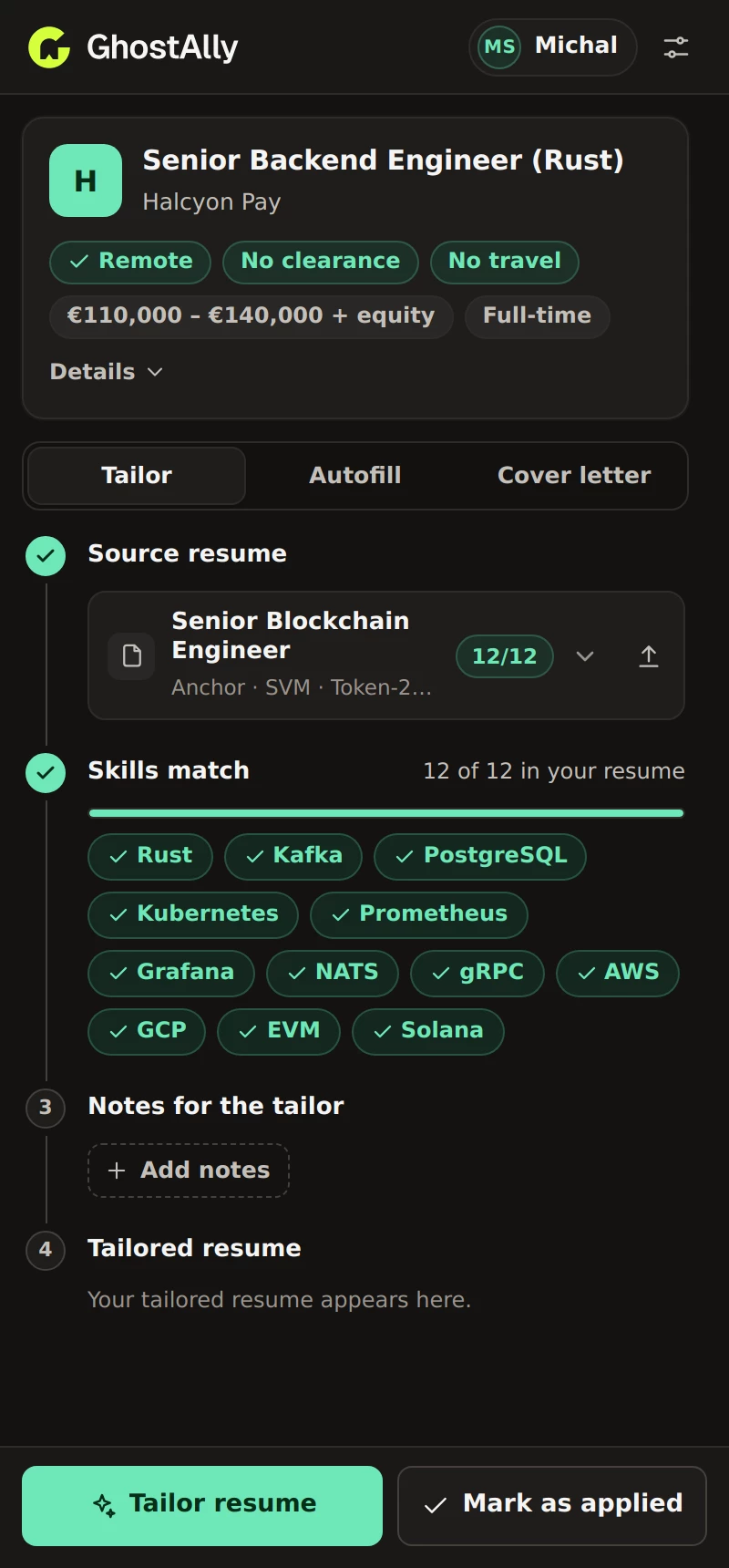
- Dark and light themeFollows your system, or pick one. Dense or comfortable.
- Your data, exportableDownload your sheet as xlsx or csv, or your whole account.
02 · Apply Helper
Apply from the job page itself
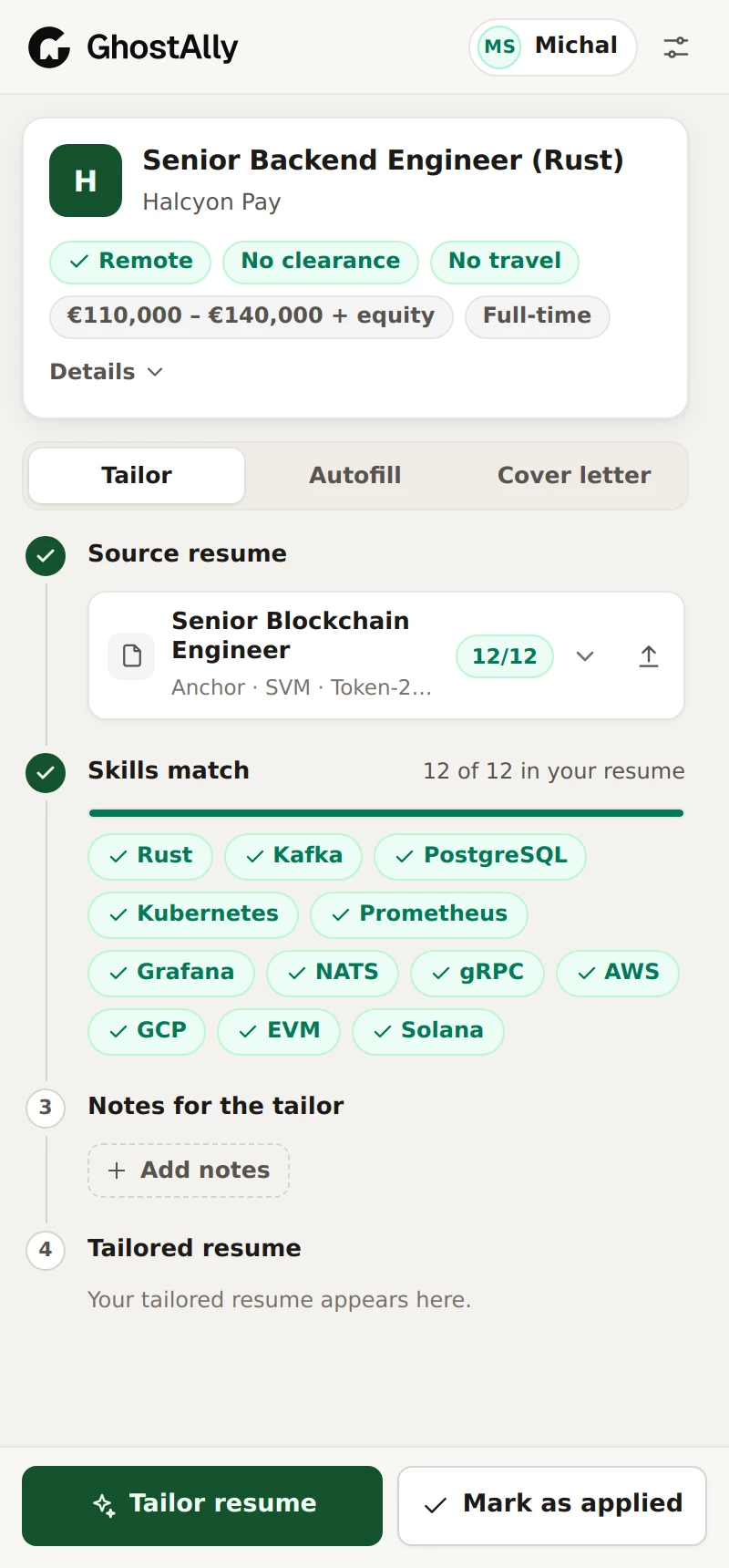
The Chrome extension opens beside any posting — LinkedIn, Greenhouse, Lever, Ashby, Workday and most careers pages — and does the busywork while you read.
- Reads the posting: remote, clearance, travel and salary at a glance
- Compares the stack with your resumes and picks the closest one
- Tailors a copy for this job, right in the panel
- Autofills the application form without overwriting what you typed
- Writes the cover letter from the resume you send
- Marks the bid as applied in your sheet
Chrome 123 or newer · uses your GhostAlly sign-in

How it connects
From one job post to the final round, without copy-paste
Each part hands the work to the next. Nothing is typed twice, and everything lands back on the website: the bid, the resume and the hiring process.
- 1Job pageOpen any posting. LinkedIn, Greenhouse, Lever, Ashby, Workday…
- 2Apply HelperReads it and checks the stack against your resumes.
- 3Bid sheetSaved as a bid: company, role, link and stack.
- 4TailorA .docx for this job, kept with the bid. Your facts, your formatting.
- 5Call DeskLive captions and answers when they call you in.
- 6ProcessTranscript, summary and answers saved to the step.
03 · Call Desk
Share your screen. Keep your notes to yourself.
Call Desk is a desktop app for the interview itself. Its window is excluded from screen capture, so the assistant, your resume and a browser live in one private place — the interviewer sees only the screen you share.


You see the call, plus captions, answers, your resume and a browser — all in Call Desk's private window.
- Live captions, both sidesSystem audio and your microphone in two lanes, as they speak.
- Answers you can say out loudQuick or full, written from your resume, the job description and the process.
- Your resume, in reader viewThe exact version you sent for this job, clean and searchable.
- A browser insideThe job post, docs or a code pad, in the same private window.
- Click-through and opacityLet clicks pass to the app below and dim the window when you type.
- Saved to your processTranscript, summary and answers land on the step on the website.
For Windows and macOS. Every account includes 1 free call; Pro makes them unlimited. Hiding from capture needs Windows 10 (2004) or later; on macOS 15 and newer some capture tools can still record the window, and Call Desk tells you when hiding is limited.
Pricing
Start free. Go Pro for the busy weeks.
Every account gets 3 tailorings and 1 Call Desk call on the house. Pro is $10 for 30 days of unlimited tailoring and calls, paid in crypto.
Free
$0to start
Everything to run your search, with a taste of the AI parts.
- 3 resume tailorings
- 1 Call Desk call
- Bid sheet, Process page and Resumes library
- Apply Helper extension for Chrome
- Dark and light theme, xlsx / csv export
Pro
$10per 30 days
For the weeks you are applying and interviewing every day.
- Unlimited resume tailoring
- Unlimited Call Desk calls
- Everything in Free
- Pay with crypto: USDT, BTC, ETH and more
- No subscription: the pass simply expires
Payments go through NOWPayments or Cryptomus. Nothing renews by itself — buy another pass when you need one.
FAQ
Straight answers
Will the Tailor make things up?
Which browser do I need for Apply Helper?
Which computers does Call Desk run on?
Is the interviewer able to see Call Desk?
What does the free plan include?
How do I pay, and can I cancel?
What happens to my data?
Your next interview, already prepared.
Put your applications in the sheet, let the extension do the forms, and walk into the call with your resume, the job and a second brain one glance away.
